
Download File Phone and Email Extractor – extract phone numbers, extract email addresses, file extractor tool, bulk data extraction, document processing
Overview
The File Phone and Email Extractor is a productivity-focused mobile application designed to streamline the extraction of contact information from digital documents. Its primary function is to identify and isolate phone numbers and email addresses from various file types, enabling users to efficiently collect and organize communication details. This tool is particularly useful for professionals, recruiters, marketers, and administrative staff who frequently handle large volumes of text-based files such as PDFs, Word documents, and plain text files.
By automating the tedious task of manually scanning documents for contact data, the app reduces time spent on data entry and minimizes human error. It serves as a lightweight utility for individuals who need to compile lists of contacts from reports, newsletters, or business correspondence. The app’s purpose is to enhance workflow efficiency by transforming unstructured text into structured, actionable data.
Developed by Joe C. Jones, the application reflects a targeted approach to solving a common problem in digital document management. Although the developer did not provide additional technical details, the app’s focus on core functionality suggests a minimalist design philosophy. It fits within the broader productivity ecosystem by offering a specialized tool that complements existing document handling apps.
Real-world use cases include gathering leads from online publications, extracting client contact details from contracts, or compiling team member information from shared documents. The app’s ability to process multiple files in bulk supports scalable operations, making it suitable for both individual users and small teams seeking a simple yet effective data extraction solution.
Key Features & Functionality
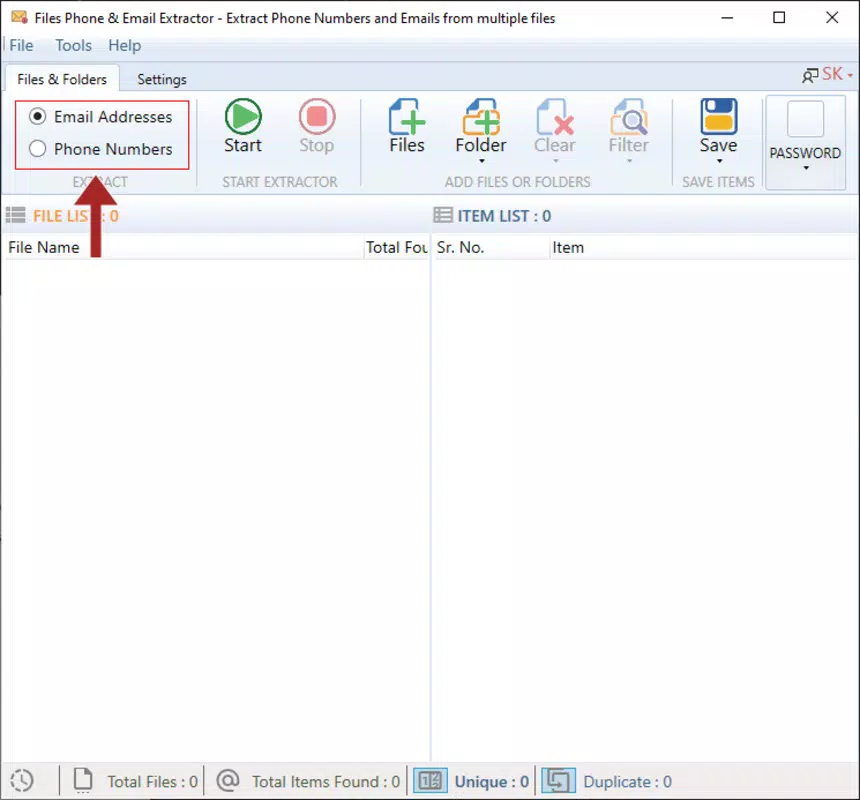
- Phone Number Extraction – Automatically detects and isolates phone numbers from text content using standardized pattern recognition, ensuring high accuracy across various international formats.
- Email Address Detection – Identifies valid email addresses based on standard syntax rules, filtering out false positives and irrelevant strings.
- Multi-Format Support – Processes common document types including PDF, DOCX, TXT, and other plain text-based files, allowing users to extract data from diverse sources.
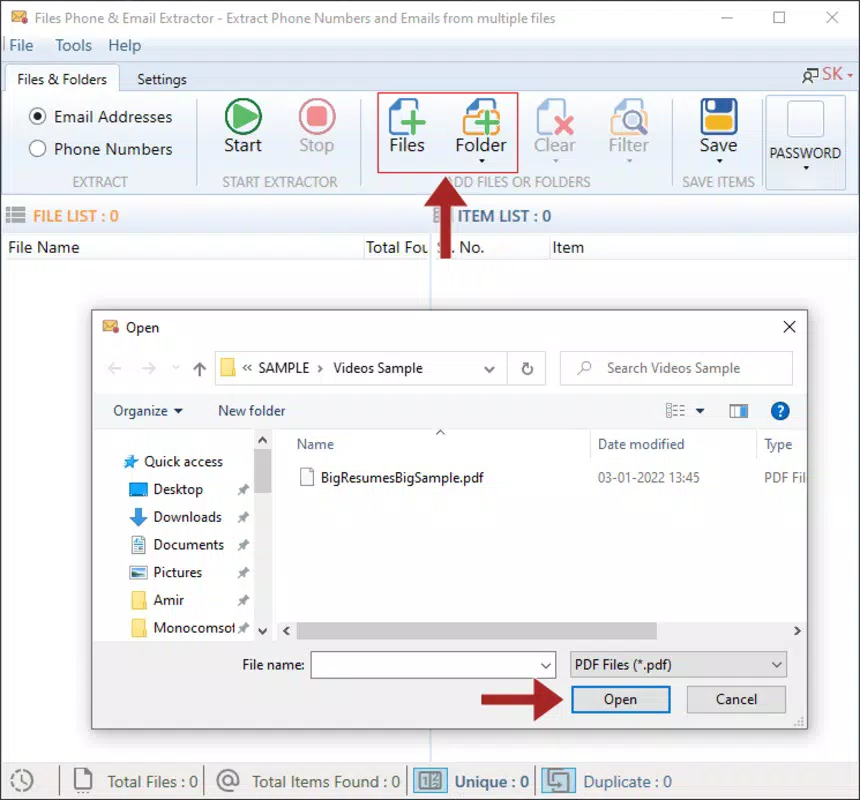
- Bulk Processing Capability – Enables users to upload and analyze multiple files at once, significantly reducing processing time compared to manual methods.
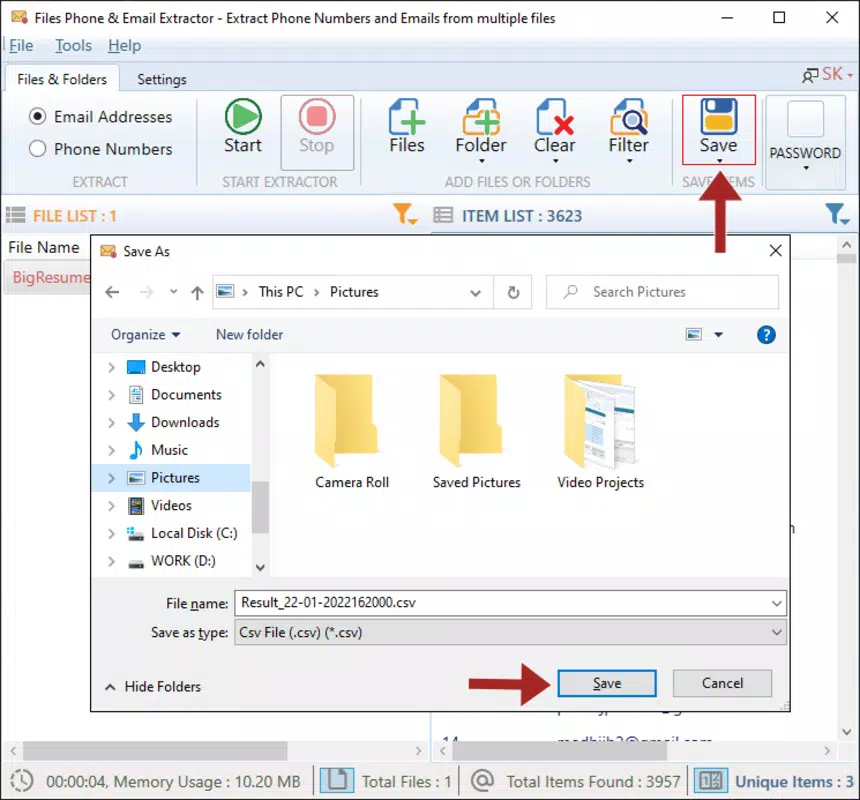
- Exportable Output – Provides extracted data in structured formats such as CSV or plain text, facilitating seamless integration with spreadsheets, CRM systems, or contact managers.
For example, a marketing manager can upload a batch of customer feedback forms in PDF format and quickly extract all contact details for follow-up outreach. Similarly, a recruiter might use the app to scan job application documents and compile a list of candidate phone numbers and emails for scheduling interviews. The app’s ability to handle bulk files ensures that even large datasets can be processed efficiently without requiring advanced technical skills.
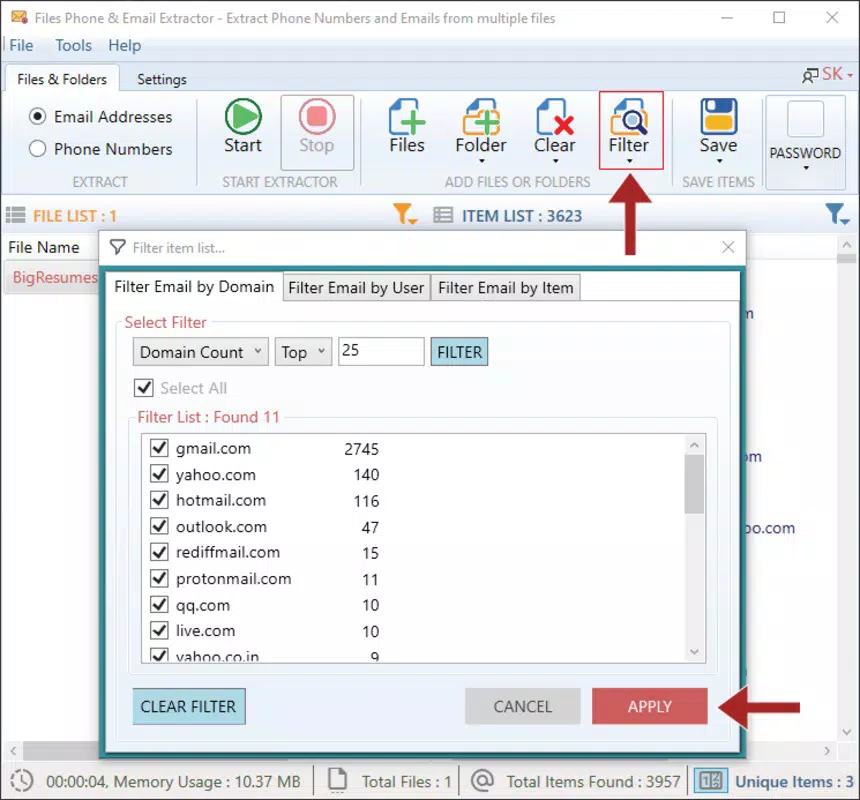
Each feature is designed with practicality in mind. The pattern-based detection system ensures reliability, while the export functionality supports real-world workflows. The app’s focus on accuracy and usability makes it a valuable tool for users who prioritize speed and precision in data handling. By minimizing manual input, it helps maintain data integrity and enhances overall productivity.
Interface, UX & Performance
The File Phone and Email Extractor features a clean, minimalist interface optimized for ease of use. Navigation is straightforward, with a central upload area and clearly labeled buttons for initiating extraction tasks. The layout prioritizes functionality over decorative elements, allowing users to focus on their workflow without distractions.
Visual design is simple and consistent, with a neutral color scheme and legible typography. Text labels are concise, and icons are intuitive, contributing to a low learning curve. Users can upload files via file picker or direct access from cloud storage services, depending on system permissions.
Although the developer did not list formal performance metrics, the app’s lightweight size of 1.8 MB suggests efficient resource usage. It is expected to operate smoothly on a range of Android devices, from entry-level models to high-end smartphones. Responsiveness appears to be optimized for typical user interactions, with minimal lag during file processing and output generation.
Stability is likely maintained through focused functionality—by limiting features to core extraction tasks, the app reduces the risk of crashes or unexpected behavior. Users can expect consistent performance across sessions, though real-world testing on diverse hardware is necessary to confirm reliability under heavy use.
Platform Compatibility & Technical Requirements
The app is available exclusively on the Android platform, targeting users of Android-based smartphones and tablets. It requires Android 5.0 (Lollipop) or later, though specific OS version requirements were not fully disclosed by the developer.
With a file size of 1.8 MB, the app is highly compact and suitable for devices with limited storage capacity. Its lightweight footprint ensures fast installation and minimal impact on device performance. The app is offered free of charge, making it accessible to a broad audience without financial barriers.
Compatibility with different device categories is assumed based on standard Android support. However, the developer did not specify minimum RAM, processor, or screen resolution requirements. Users are advised to ensure their device meets general Android compatibility standards for optimal operation.
Pros and Cons
Pros
- Free to download and use, eliminating cost barriers for users.
- Lightweight design (1.8 MB) ensures fast installation and minimal storage use.
- Supports bulk processing of multiple files, saving time on repetitive tasks.
- Extracts phone numbers and email addresses with high accuracy using pattern recognition.
- Exports data in standard formats for easy integration with other tools.
Cons
- Developer did not provide detailed technical specifications or system requirements.
- Only available on Android, limiting accessibility for iOS users.
- Specific file formats supported were not fully listed beyond general mention.
- No cloud sync or backup functionality was indicated.
- Interface may lack advanced customization options for power users.
FAQ
Is File Phone and Email Extractor safe to use?
The app is free and available through official Android channels. As it processes local files, no data is transmitted to external servers unless explicitly permitted by the user. Users should ensure they only upload documents they have permission to process.
Can I use this app on my iPhone?
Currently, the app is only available on Android devices. There is no iOS version released or announced by the developer.
What file types can the app process?
The app supports common text-based document formats such as PDF, DOCX, and TXT. Specific file type limitations were not disclosed by the developer.
Does the app require internet access?
Based on its functionality, the app likely operates offline, processing files locally. No data is transmitted unless the user manually shares or uploads results to cloud services.
How often is the app updated?
The latest version is 1.0.1, released on July 3, 2024. The developer has not provided information on future update frequency or release schedule.
Final Thoughts
File Phone and Email Extractor delivers a focused, no-frills solution for users who need to extract contact information from digital documents. Its core strength lies in simplicity and efficiency—by automating the detection of phone numbers and email addresses, it removes a common bottleneck in data processing workflows. The app’s lightweight nature and free pricing make it an attractive option for individuals and small teams seeking a reliable utility without added complexity.
While it lacks advanced features like cloud integration or multi-platform support, its targeted functionality ensures consistent performance and ease of use. The app is particularly valuable for professionals in recruitment, marketing, and administrative roles who regularly handle large volumes of text-based files.
For those in need of a secure, fast, and free tool to extract contact data from documents, this app stands out as a practical choice. Its ability to process multiple files at once and export results in standard formats enhances its real-world utility.
Download File Phone and Email Extractor now to simplify your document processing tasks and boost productivity on your Android device.


